Saved Joyagoo finds: recover the idea before restarting the purchase
On this page
A saved Joyagoo link records an earlier moment of interest. When you return to it to buy something for another person, first recover what they liked: the entire item, a particular shape or simply the way a photograph was styled. Do not turn an old conversation into a new purchase commitment on their behalf.
Use the Joyagoo spreadsheet as the current starting point. Keep an older reference available for comparison without assuming its price, selected option or the recipient's preference has remained unchanged.
Separate the old idea from today's selection
An outfit image might have interested the wearer because of one garment rather than every pictured piece. A saved accessory may have been a possible shape, not a confirmed fit for something they own.
Ask which feature mattered and whether it still does. If the person wants to decide privately, let them identify the relevant option themselves. Do not fill in a size, colour or intended use from your own preference simply because the old note is incomplete.
The shopping guide helps move from a clear current requirement to an order decision. Revisiting a bookmark is earlier than that decision.
When the old destination no longer answers the question
An unavailable page does not make a visually similar item an identical replacement. Save a new candidate separately and compare its own description, dimensions and contents.
The image-search guide helps if the remaining reference is a photograph. Once a candidate is found, the spreadsheet links guide explains how to keep the exact option attached to the new reference.
For example, a shirt-and-shorts image could lead to a top-only listing. Use the set guide before assuming a new option contains the same pieces as the earlier idea.
Recheck size notes rather than carrying them across
A saved size belongs to the item and measurement context in which it was chosen. It is not automatically the wearer's size for a later candidate. Compare the relevant chart using the size guide, keeping body and product measurements distinct.
An old garment can still be a useful reference if the wearer wants to use it, but establish which aspects of its current fit they wish to repeat. They might be replacing it precisely because another dimension is now preferred.
Do not expose personal measurements or old recipient photographs just to explain a chart question publicly. Usually the unclear term or measurement method can be discussed on its own.
Keep old prices in their original context
An earlier amount needs its currency, quantity and selected contents to be meaningful. It does not reserve the price or show that the recipient approved that spending. Reopen the current destination before comparing the actual option.
Likewise, an old freight figure is not a quote for a new parcel. The shipping calculator guide explains the role of contents, dimensions, destination and service. Changing any of those can make the old comparison unsuitable.
If you want a new outfit candidate to discuss, review the T-shirt and shorts set on OG. Treat it as a current reference to inspect, not a substitute automatically approved by an earlier saved image.
Preserve useful information without private history
A product reference and a short description of the desired feature may be enough to restart the conversation. Keep old account links, addresses, parcel identifiers and payment records out of the shared shortlist.
The safety guide separates product browsing from account and payment actions. A reminder of something the person liked should not reveal their earlier transactions.
Let the old entry lead to a better question
The useful outcome may be a clarified preference rather than an immediate purchase. Which piece is wanted now? What measurement would decide between the alternatives? Does the selected option include the feature that mattered?
Use the best spreadsheet guide to compare the resulting candidates. Keep the historical reference, but let the wearer's present decision govern the next action.
Does saving a product mean the recipient still wants it?
No. Confirm their current preference and the actual item before purchasing.
Can a similar picture replace an unavailable product?
It can begin a new comparison, not establish that the replacement is identical or already approved.
Should I share the whole old order record?
Keep the product discussion separate from private account, address and financial information.
Recovering a find saved in 2025
A Joyagoo spreadsheet 2025 can be a useful starting point when you remember a particular item but not its original listing. Treat it as a record to investigate, not a current catalogue. Recover the product identity first, then decide whether it still fits the purchase you want to make now.
Decide what you are trying to recover
Are you looking for the exact product someone requested, a style idea or information about an order already placed? Those tasks need different records. An old spreadsheet row can help identify a product; it does not replace the account record for an existing transaction.
Keep a copy of the original wording alongside the saved address. If the recipient chose the item a long time ago, ask whether they still want it before spending time rebuilding the order. Their taste, intended use or preferred fit may have changed.
For broader organisation of old candidates, use the saved finds guide. Keep past choices separate from items currently approved for purchase.
Compare the recovered page with the old row
Open the product reference and check the name, selected version, size information and contents. A similar photograph is not enough to establish that it is the same item. If the page opens another destination or loses the option context, follow the link recovery guide.
Mark differences explicitly in your own notes. For instance, if the old row describes a two-piece set and the current option describes only one piece, that is a new selection decision. Do not preserve the old description simply because you recognise the main picture.
If you cannot recover the exact candidate, keep the original reference intact and label a replacement as an alternative. Avoid changing the old entry so that it appears the replacement was what the recipient originally chose.
Separate historical prices and photographs
A price saved in 2025 tells you what was recorded then, not what you can pay now. Recheck the selected option and the currently displayed currency. Do not use an old product price as the total for a new purchase with delivery.
Likewise, an older warehouse photograph belongs to its own item and stage. It may help you identify a visible detail, but does not establish the contents of a different order. Use the QC photo guide to keep observations tied to the correct product.
You do not need to discard every old note. A clearly recorded preference or a question about a feature can still help you compare candidates. The important distinction is between a useful reference and a current confirmation.
Start a fresh decision when the old find cannot be recovered
If you are reconsidering a coordinated outfit, view a T-shirt and shorts set on OG and inspect its present options. This is a candidate for a new comparison, not a claim that it appeared in a particular 2025 collection.
Ask the wearer which pieces they actually want. Revisit measurements through the size guide, then consider the parcel separately through the shipping guide. An earlier willingness to buy does not automatically settle today's option, destination or cost.
For a current starting point, return to the Joyagoo spreadsheet and the 2026 selection checklist. Preserve the old reference privately if you need to explain why your choice changed.
Common questions
Does an old link becoming unavailable mean my old order is gone?
No. Product browsing and account order history are different records. Use the relevant account information for a transaction enquiry.
Can I copy the old size into a replacement product?
Only after checking what the replacement's size information actually means. Matching labels do not establish matching measurements.
Is every item in a 2025 spreadsheet outdated?
The year alone does not answer that. Check the particular product and the decision you need to make, rather than accepting or rejecting the entire collection based on its title.
Rechecking an older edition record
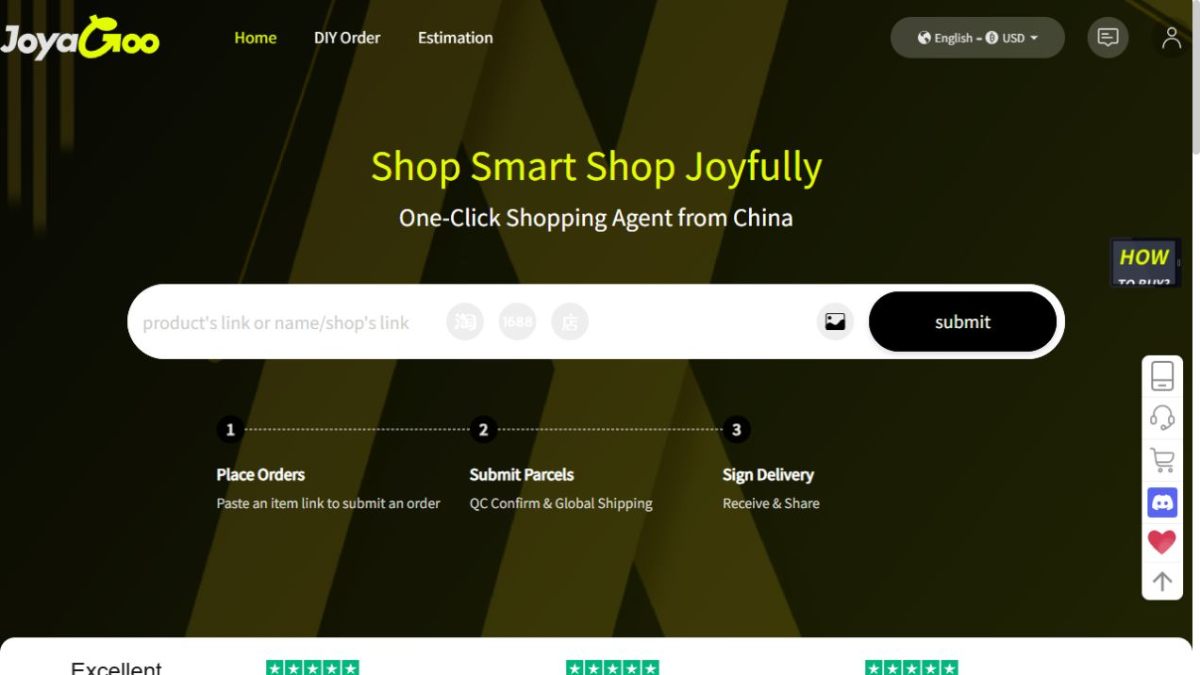
Current Joyagoo homepage interface used when checking product links carried forward from the 2025 edition.
This page is a reference for the older 2025 edition of the Joyagoo spreadsheet. It explains how to review entries from that edition against today's product context rather than treating an old row as current. The figure above shows the current homepage interface, which is what you use to check any link carried forward from the 2025 edition.
A 2025 entry records what an item looked like at that time. Before you decide, recheck the fields against the current listing and use today's shipping information.
Reviewing older entry fields
An older entry is a record of what was shown at the time, not a live statement. Read the name, category, reference price, variant labels and any QC or shipping note, and treat each field as something to recheck rather than something still current.
Rechecking the current product context
Take the older fields and hold them next to the current product page. The title, identifier, price and variants should line up with what is shown now; if one field differs or is missing, resolve it before relying on the older row.
Comparing variants and images
Compare the variant labels and images on the older entry with those shown on the current listing. A variant may have changed color, style or size, so match each label to the image beside it and confirm the current version before choosing.
Using current shipping information
Do not rely on a shipping note from the 2025 edition. Check the shipping estimation shown now for your region, and confirm what tracking the current listing offers before you decide.
Questions about saved 2025 entries
Is the 2025 edition still current?
No. This page treats the 2025 edition as an older reference. Review its fields, then recheck the current listing before deciding.
How do I review a field from an older entry?
Read the name, category, reference price, variant labels and any QC or shipping note, and treat each field as something to recheck against the current listing.
Should I compare variants from an older entry?
Yes. Compare the variant labels and images from the older entry with those shown on the current listing, and confirm the version you want is still shown.
Can I use the shipping note from the 2025 edition?
Use current shipping information instead. Check the shipping estimation shown now for your region and what tracking the current listing offers.
What does the figure on this page show?
It shows the current homepage interface used to check links carried forward from the 2025 edition. It is not a view of the 2025 interface itself.